Personnel profile pages help faculty, staff and the public find contact information, learn about expertise and connect with CAES employees. Currently, CAES uses three types of personnel profile pages, each serving a different purpose and drawing information from different data sources.
As we continue moving to WordPress and expanding Field Report, our goal is to provide a single, unified profile experience across CAES websites. Until then, this guide explains the current profile types, where they appear and how to update them.
This article will cover the three types of CAES personnel profile pages:
| Profile Type | Where It Appears | Data Sources |
|---|---|---|
| Basic Personnel Directory Page | CAES and Extension sites | Personnel Database only |
| Detailed Biography Profile Page | Departmental/unit sites | Personnel Database + manually authored content |
| Field Report Faculty Profile Page | Field Report only | Personnel Database + UGA Elements |
Basic Personnel Directory Page
Every CAES employee or collaborator entered in the CAES Personnel Database will have a basic profile page available through the CAES Personnel Directory. The URL for a basic profile page will always begin with www.caes.uga.edu/about/personnel/.
In addition to providing profile data for the CAES websites, the CAES Personnel Database also supplies information for the searchable UGA Extension Personnel Directory and county websites.
Example of basic profile page:
Nick Place – CAES Dean and Director
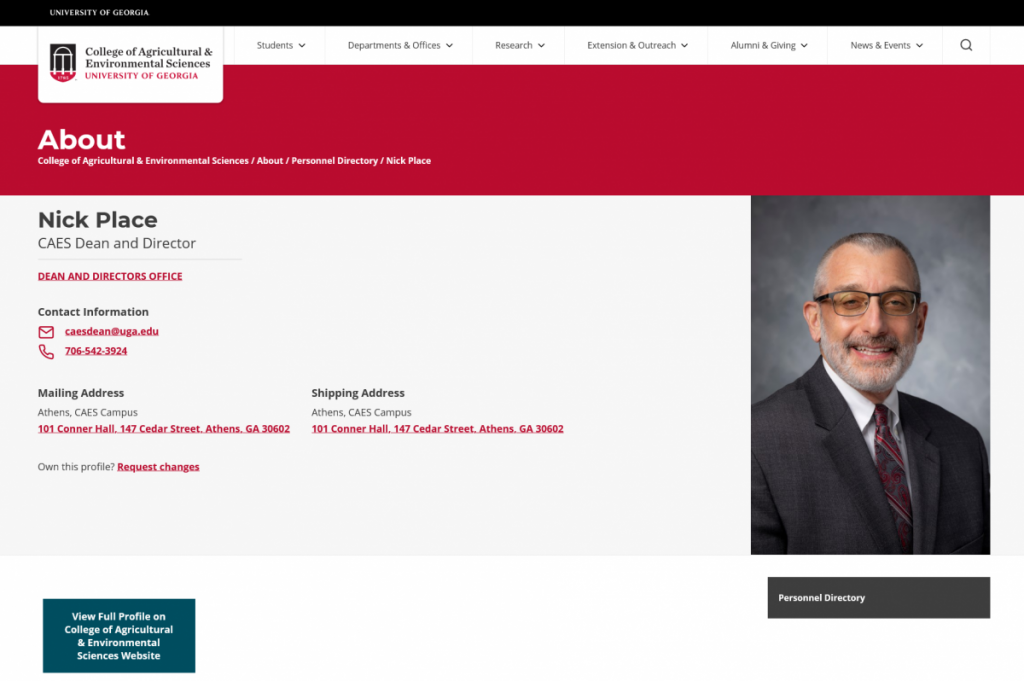
The basic profile pages are dynamically generated by the website when a new record is added to the CAES Personnel Database.
Frequently Asked Questions
The CAES Personnel Database contains information about CAES and UGA Extension employees and collaborators to keep our online directories up to date and to maintain information not tracked through the University of Georgia.
Each department/unit has data custodians who enter new employees, approve changes, edit profiles, and mark employees as “retired” or “inactive” once they leave employment.
Each employee is responsible for requesting changes to their profile. To do so, navigate to the CAES Personnel Directory, find your personnel directory page and click on the link to request changes. You will be required to login using your UGA MyID. Once you have submitted the request, your data custodian will approve the change.
Most faculty members have a full profile page located on their designated departmental website. These pages are managed by the department’s web content manager. Read more about the detailed biography profile page below.
Detailed Biography Profile Page
Detailed biography profile pages are created and managed through the centralized content management model. In order to make changes, please contact your department’s web liaison. If you are unsure who that is, please reach out to the Web Team at caesweb@uga.edu.
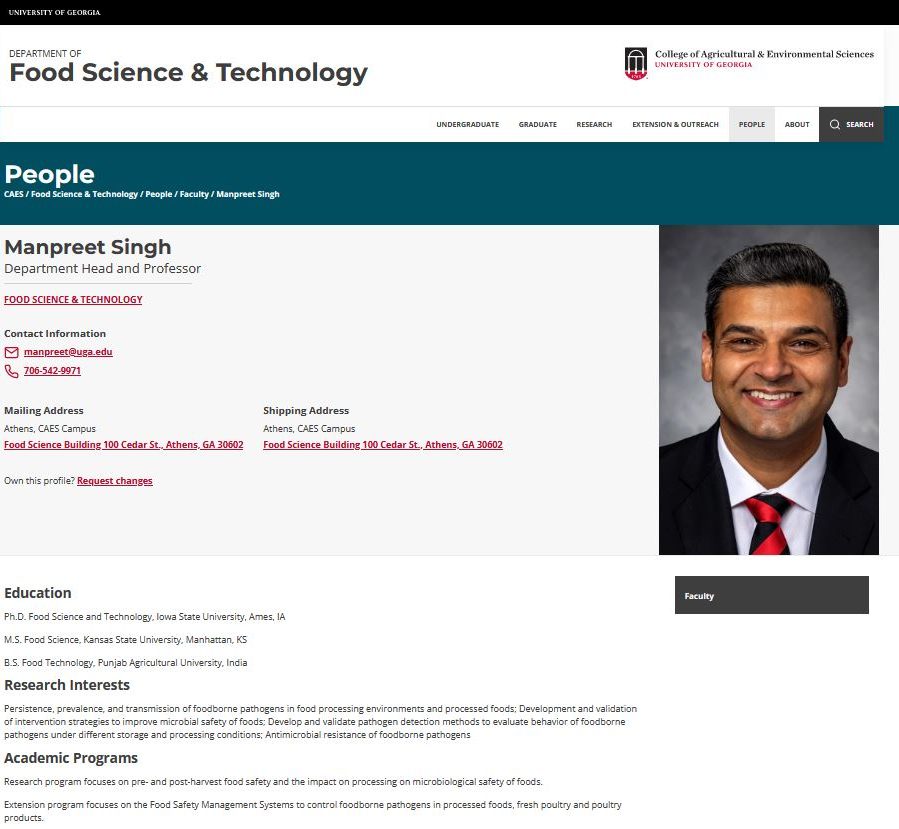
When navigating to the People section of a departmental or unit website, the directory listing will link directly to the detailed biography profile page if available. If the employee does not have a full profile page, the link will direct to the basic personnel directory page.
Example of a full profile page:
Manpreet Singh – Department Head and Professor
Frequently Asked Questions
The web content manager is responsible for creating, editing and deleting the full profile page on websites. If you need help identifying your web content manager, contact caesweb@uga.edu.
Work directly with the web content manager for your department/unit to add or update content on your full profile page.
Faculty and staff may add any appropriate content including, but not limited to, area of expertise, education, awards, publications, and links to external websites such as Google Scholar. Additionally, the web content manager can upload a CV and link to it on the page. The content can be formatted in columns with bulleted lists or written in paragraphs or a combination of both styles. View an example of a full profile using the paragraph overview style.
Navigate to the CAES Personnel Directory, find your personnel directory page and click on the link to request changes. You will be required to login using your UGA MyID. Once you have submitted the request, your data custodian will approve the change.
First, prepare your profile image by resizing it for the web. Profile photos should have an aspect ratio of 2×3 and should not exceed 600 pixels in width. There is a 500 KB file upload limit. All images must have a .jpg file extension. If you need help resizing the image, contact your web content manager or request assistance from caesweb@uga.edu. Follow the directions above to request changes and upload your image using the online form.
Field Report Faculty Profile Page
Faculty profiles on the Field Report site pull data from two sources: the CAES Personnel Database and UGA Elements (the system that powers Experts@UGA).
Example of Field Report Profile Page
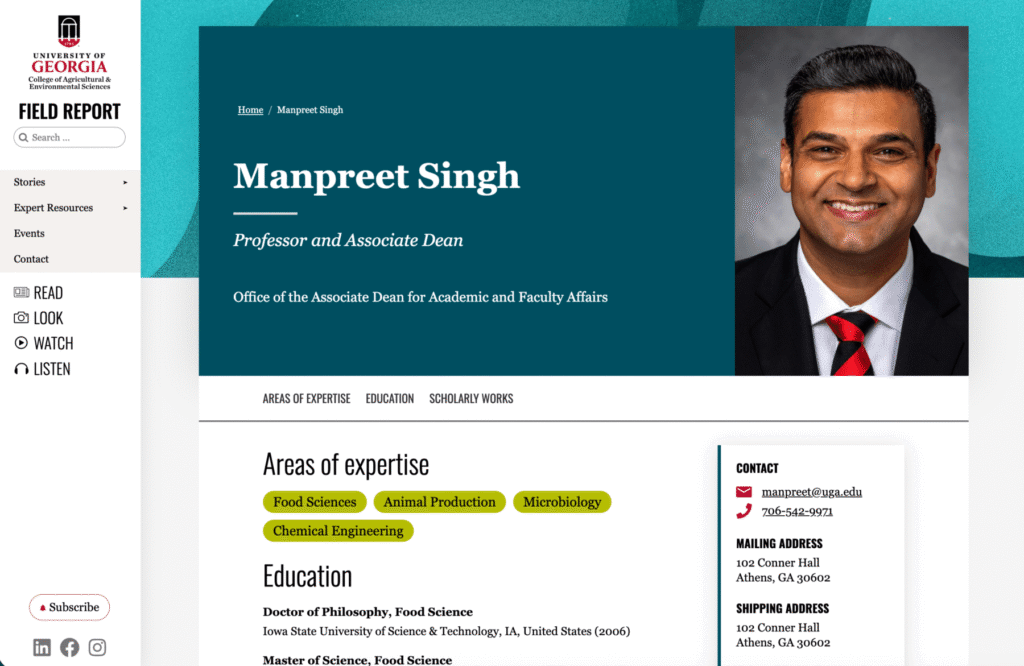
What information is shown
From the Personnel Database
- Name
- Title / position
- Department (links to department site)
- Phone
- Mailing and shipping address
- Profile photo
From UGA Elements
- Overview / bio
- Areas of expertise
- Scholarly works / publications (top 5 by citations, including title, authors, journal, year, and DOI)
- Education / degrees (degree, field, institution, year)
- Awards and honors
- Courses taught (recent)
- Personal / professional websites
Frequently Asked Questions
Contact and photo data come from the Personnel Database. Navigate to the CAES Personnel Directory, find your profile, and click the link to request changes. Your data custodian will approve the update.
That content is managed in UGA Elements. Visit the UGA Elements site to learn more about updating your profile information. Once the changes are made, they will sync to your Field Report profile the next day.
For Personnel Database issues (name, title, contact info, photo), reach out to your data custodian or contact caesweb@uga.edu. For Elements data (bio, publications, research info), visit UGA Elements and review their quick reference guide.
